StickerBleed

White Border PNG — Add a White Outline Online

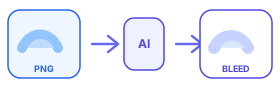
Looking for a fast way to make a white border PNG? Upload your transparent image and generate a white contour outline around the artwork.

White borders are popular for stickers, social assets, and marketplace listings because they stay readable on busy backgrounds and leave cutting margin for printers.

Transparent PNG sticker uploading for Etsy sticker bleed contour outline

Drop your transparent PNG sticker here or click to select

Transparent PNG only · Max 4000×4000px · Max 10MB · 10 free generations / IP / day

Free usage: 10 generations per IP per day

Why white border PNG files convert well

A white outline separates colored artwork from dark or patterned backgrounds. For stickers, that same ring often doubles as bleed margin for die-cut production.

This tool keeps the border on the contour, so rounded logos and lettering keep a natural edge instead of a square card.

How to add a white border to a PNG

Upload a transparent PNG, leave the color at #FFFFFF, pick a thickness (6px is a common sticker starting point), then generate and download.

Need a colored outline instead? Change the border color before generating — the contour still follows the same silhouette.

FAQ

Can I add a white border to PNG without Photoshop?+

Yes. Upload the transparent PNG here, keep the border color white, generate, and download the result.

Will the white border be a square frame?+

No. The border follows the image contour from the transparent background, not the canvas rectangle.