StickerBleed

Image Outline Generator — Contour Border from PNG

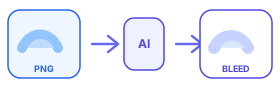
This image outline generator traces the silhouette of your transparent PNG and builds a contour border around the real shape — not a rectangle.

Creators use it for sticker outlines, vinyl cut prep, and quick white borders. Upload, set thickness, generate, and download a print-ready PNG.

Transparent PNG sticker uploading for Etsy sticker bleed contour outline

Drop your transparent PNG sticker here or click to select

Transparent PNG only · Max 4000×4000px · Max 10MB · 10 free generations / IP / day

Free usage: 10 generations per IP per day

What this image outline generator does

Unlike filters that draw a hard stroke on every pixel, this tool expands the transparent PNG alpha channel so the outline hugs curves, letters, and irregular sticker shapes.

That makes it useful when you need a clean contour for die-cut stickers, Cricut/Silhouette workflows, or marketplace print files.

How to generate an image outline

1. Upload a transparent PNG (max 4000×4000px, 10MB).

2. Choose outline thickness (2–20px) and color (white is the default).

3. Generate the contour border and download the PNG.

Tip: keep a little padding in your source file so thin strokes are not clipped after export.

Who it is for

Sticker sellers, POD creators, logo designers, and anyone who needs to add outline to image files quickly without opening Photoshop.

If your goal is specifically a white border PNG for stickers, start here or jump to the white border PNG tool page.

FAQ

Is this a free image outline generator?+

Yes. You can generate contour outlines without creating an account. Each IP gets 10 free generations per day.

Does the outline follow complex shapes?+

Yes. The outline follows the transparent PNG silhouette, including letters and irregular sticker contours.

Can I use it for sticker cut lines?+

Yes. Many creators export the outlined PNG as a starting point for die-cut or kiss-cut sticker files.