Add Border to Image Online — Free Contour Outline Tool
Most border tools only drop a square frame around the canvas.
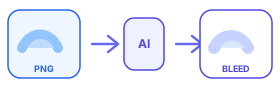
StickerBleed adds a contour border that follows your transparent PNG shape — perfect for white outlines, sticker borders, and print-ready edges.
Upload a transparent PNG, adjust thickness, download instantly. No signup. Free: 10 generations per IP per day.
Add border to image without a square frame
When people search for ways to add border to image files, they usually want one of two outcomes: a decorative outline, or a print-safe edge for stickers. StickerBleed focuses on contour borders — the outline follows the transparent PNG silhouette instead of the canvas rectangle. That difference matters for logos, lettering, die-cut stickers, and any asset where a boxed frame looks amateur.
Upload once, choose thickness from 2 to 20 pixels, pick a color (white border PNG is the default), and download a clean result. You can treat the same output as an image outline generator, a sticker border maker, or a quick way to add white border to image listings for marketplaces.
White border PNG, outlines, and sticker bleed in one workflow
A white border PNG helps artwork stay readable on busy backgrounds and often doubles as cutting margin. If you need to add outline to image files for vinyl or paper stickers, keep the contour white and test a sample cut. For Etsy or POD specialty prep, jump to the Etsy sticker bleed page — that niche still matters, but it is no longer the only door into this site.
Creators also land here from add border to PNG and add white border to image searches. The engine is the same: read alpha, expand the silhouette, composite the original art on top. No account wall on preview or generation. Each IP gets 10 free runs per day so you can iterate thickness before you commit to a final export.
When to use contour borders for print
Use contour borders when the cut path should hug the art: die-cut stickers, kiss-cut sheets, logo stickers, and many handmade labels. Avoid relying on a rectangular pad unless your product is intentionally a square or rounded rectangle card.
Start around 6px for many web-resolution stickers, then compare against your printer’s millimeter requirements. If a cutter eats more edge than expected, increase thickness and reorder a proof. Always inspect the PNG before mass production — this tool speeds prep; it does not replace a physical sample.
Tips for cleaner results
Export artwork with a true transparent background and crisp edges. Soft glows, drop shadows, or dirty alpha fringes can make the outline thicker than you expect. Keep critical text slightly inset so the border does not collide with letterforms. For batch catalogs, process hero SKUs first, lock a thickness standard, then apply the same settings across the line for visual consistency.
Want a deeper walkthrough? Read the guides on die cut sticker bleed margin, fixing Etsy cut-edge issues, and how to add a white border to a PNG without Photoshop. Each guide links back to the live tool so you can practice on a real file in the same session.